Let others know about you and control whom and how much you reveal about yourself.
Propably you only want to get in touch with people who seem to be of interest for you. You might be interested in people who have similar interests, complementary skills or whatever. Based on the information you find in their profile you will decide, whether or not they are of interest for you. In the same way, others can recognize from your profile whether they want to contact you or not.
Arouse interest in yourself and add information to the profile.
How to control privacy
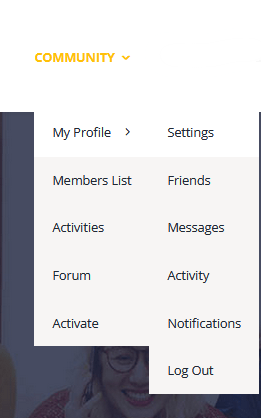
Go to Community – Profile – Settings

General
You can change your password and E-Mail.
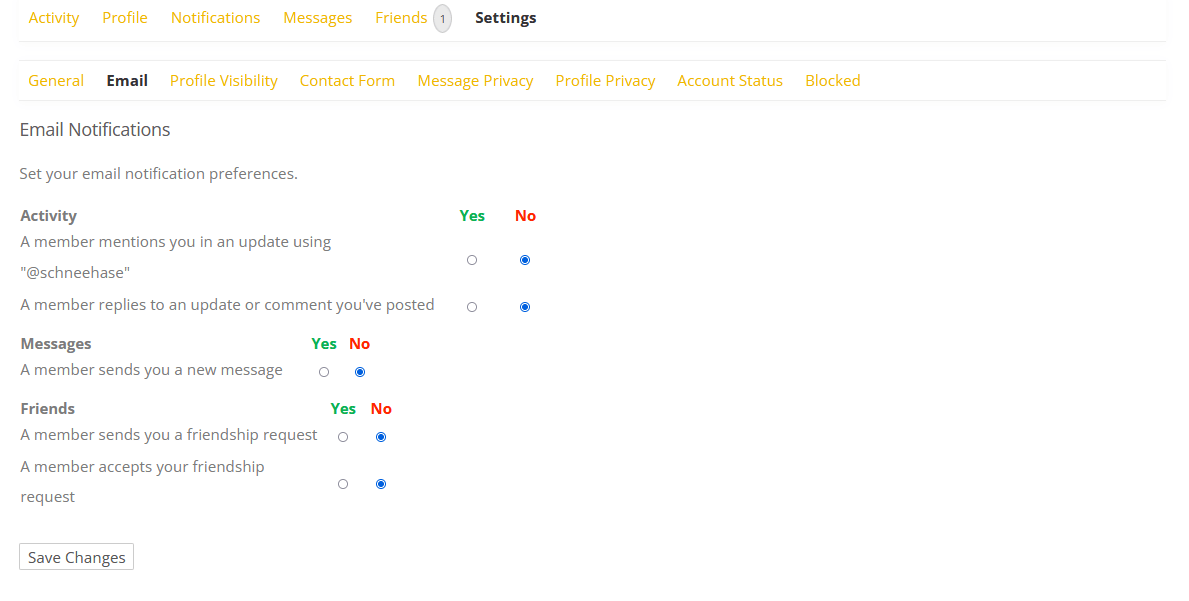
E-Mail Notifications
Which E-mails do you want to receive. Which updates don’t you want to miss. Decide what about you want to be informed. E.g. friendship request, comments on your activities, etc.
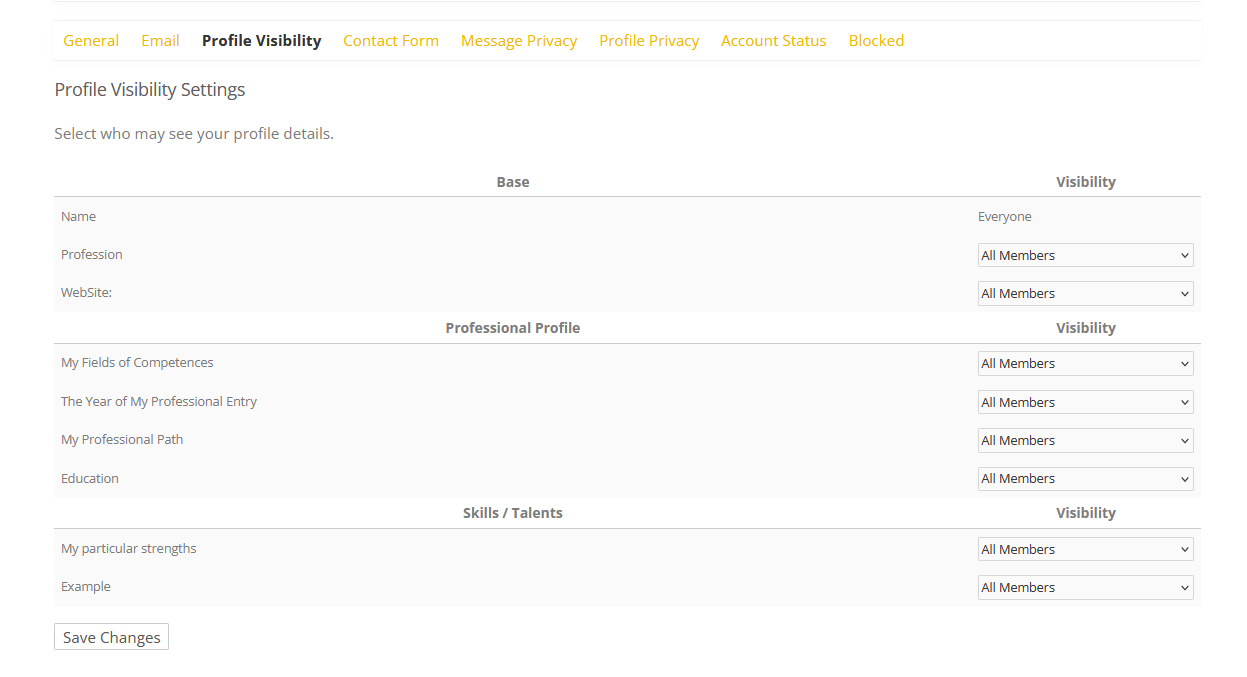
Profile Visibility
Who should be able to see which information on your profile.

Contact form
Make the contact form visible and allow others to contact you.
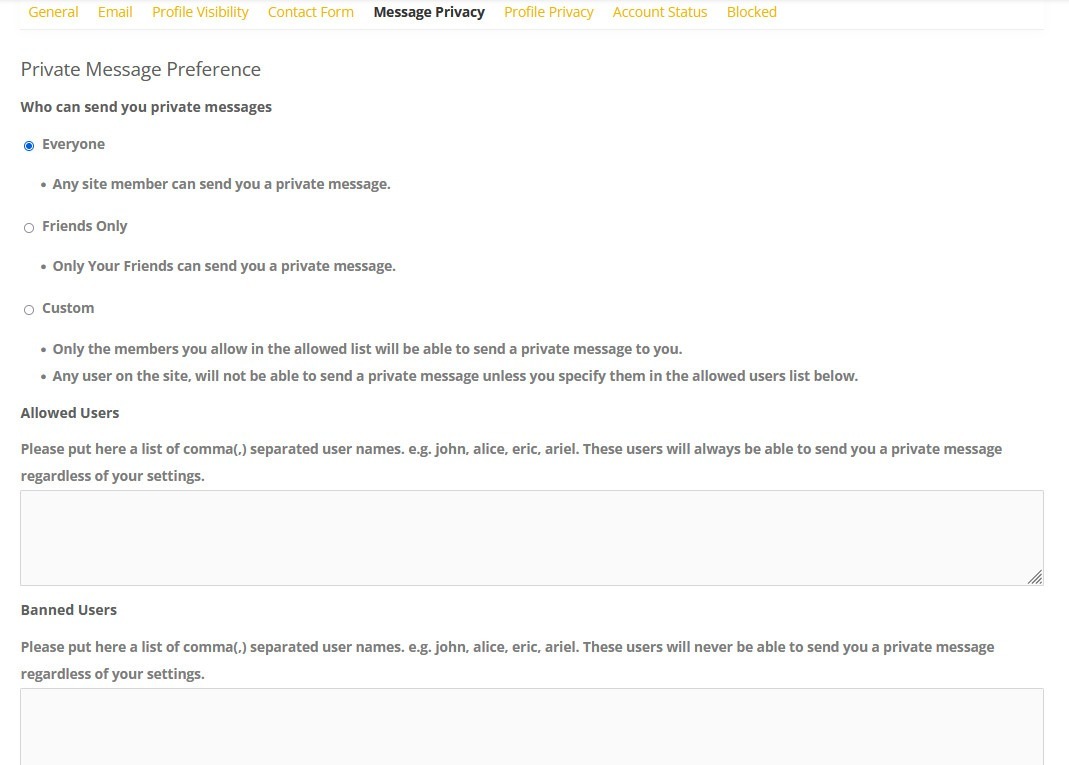
Message privacy
Who should be able to send you private messages.
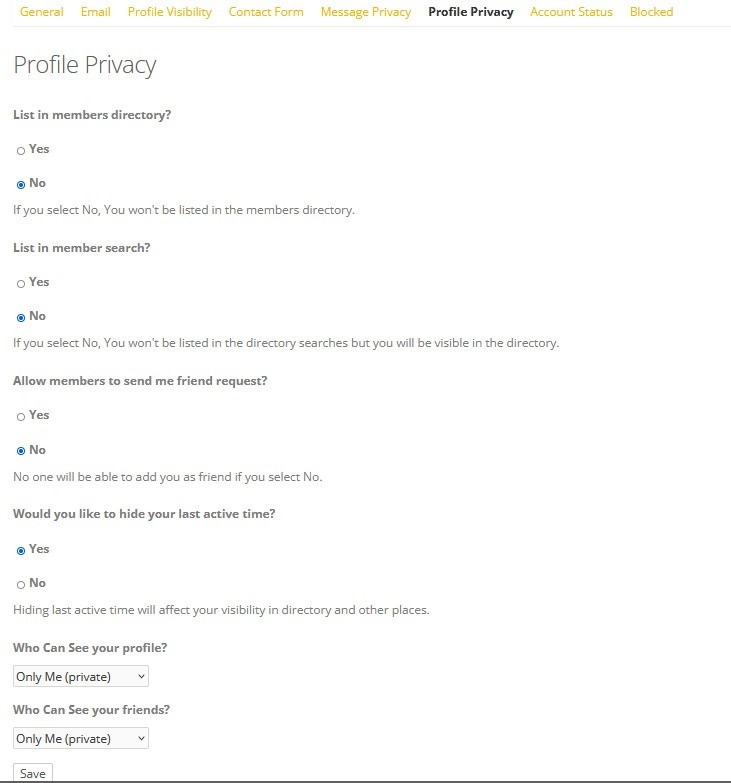
Profile privacy
Who should be able to see your Profile.
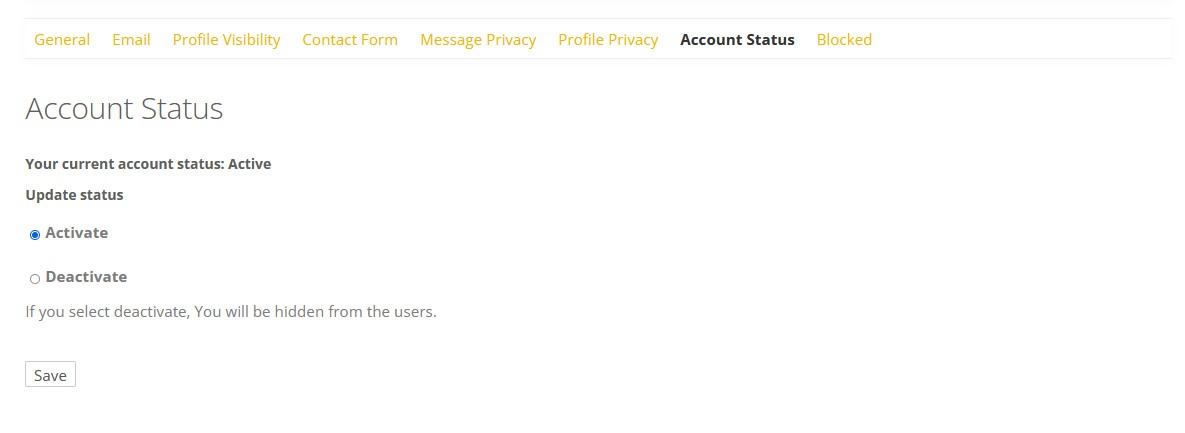
Account status
You can activate and deactivate your Social Network account at any time.
When you deactivate your account no one can visit your profile or send you a message and you also cannot visit any other profile. You can reactivate your account through: Community > Activate

Block
When you visit other profiles you will find a button “block”. After you have blocked someone he would be listed here. This member is only blocked for you and cannot send you information or read information from you but he can still see if you like or comment other’s activities.