
To focus on contacts and information
A main component of social networks are friends, likes and followers. But these can also lead to stress and an overload of information you are not interested in. You may be familiar with the phenomenon where you have many friends in your social network, but only a few of them see your posts. We want to help you focussing on those who are most interesting to you. We assume that it is not possible to keep contact with thousands of members. For this reason, we intend to limit the number of friends you can have and also the number of friendship requests which you can send within a day. This is a trial to do so and it depends on your feedback whether we continue as it is or change it again.
How to add friends
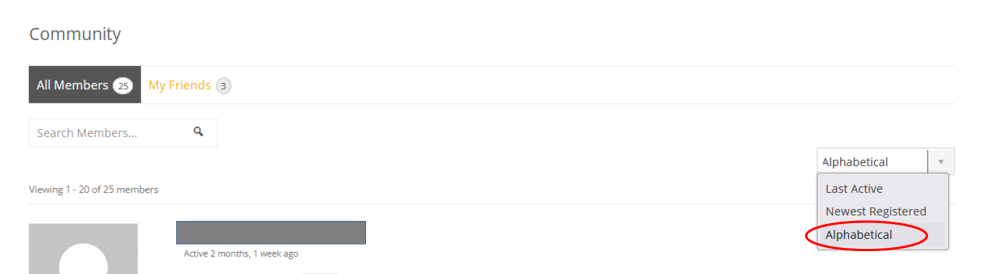
- Open the Community > Members List
- Scroll down to the member you want ask for friendship
- Click on “Add friend”
The member to whom you sent a friend request will receive a message via email and a personal message to their profile.
To accept a friendship request
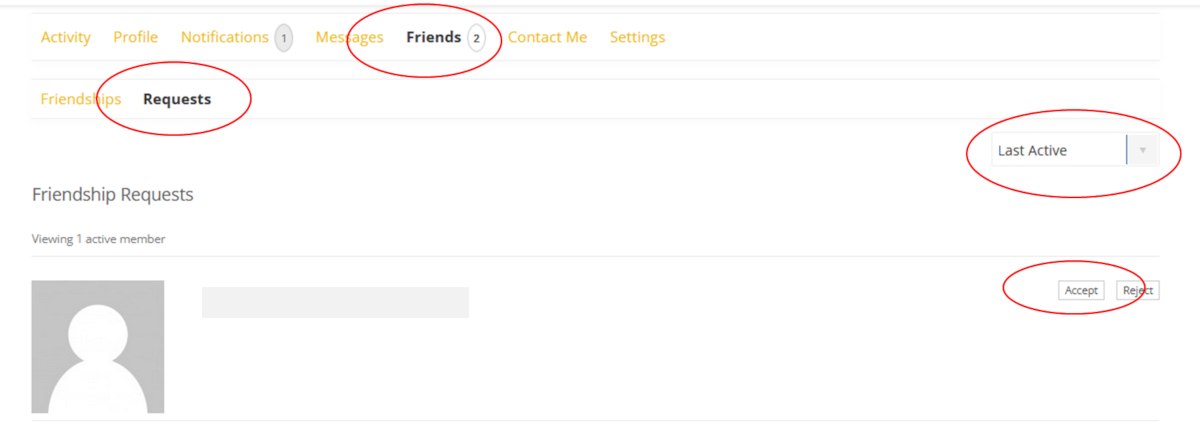
- You get an email with the subject “[life-science Community] New friendship request from name” and you receive a message in your life-science community account.
- Login and go to Community > Profile >Friends > requests
- Go to “Accept” or “Reject” the friendship request
! When you cannot see the member who has sent you a friendship request in the list, then try to change the filter “Last Active” “Alphabetical” “Newest Registered”.
Cancel a friendship
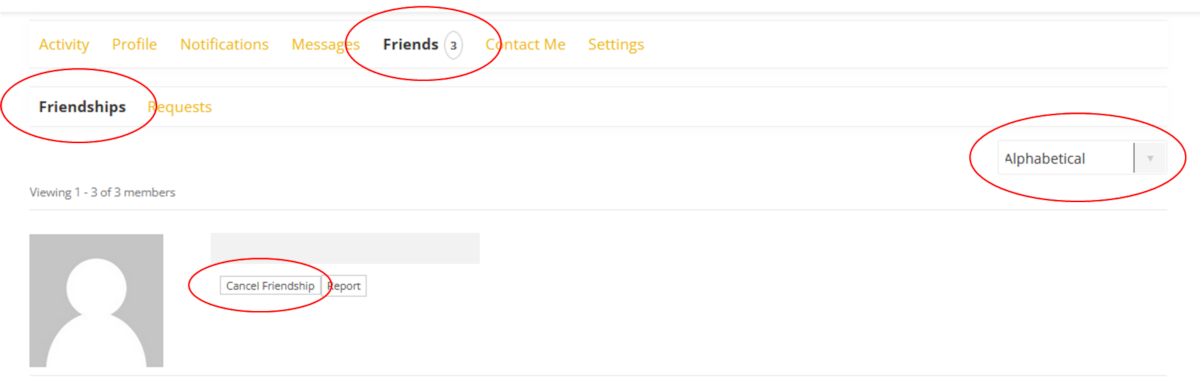
- Go to Community > Profile > Friends > Friendships and go to the friend you want remove.
- Click on “Cancel Friendship”
Alternative:
Go to Community > Members List > look for the friend you want to cancel the friendship > click on “Cancel Friendship”.
If you cannot find the friend in your list – check the filterbox on the right side on the top. Change the filter in the dropdown menu “Last Active” “Newest Registered” “Alphabetical”. Set the filter to “Alphabetical” and try again.